
RELATED ARTICLES


How to turn off an alarm that keeps beeping
In this article, we'll cover some vital security and fire alarm troubleshooting tips, such as alarm maintenance and false alarm causes. We'll also explain how to turn off a burglar alarm that keeps beeping safely, providing you with guidance on how to prevent it from happening in the future.
Is your smoke alarm or security alarm beeping? A constantly sounding alarm can be distressing, especially if it happens at night, or for sustained periods where you don't know the cause.
If your alarm starts beeping, the first thing to do is to understand why. Most alarms beep due to low battery, power cuts, or sensor faults. Replace batteries, check the control panel, and call Verisure if the alerts persist.
Security / burglar alarms
Smoke / fire alarms
If your alarm is beeping, it's usually nothing to panic about. Most smoke and burglar alarms are designed not just to warn of danger, but to alert you when maintenance, battery replacement, or system checks are needed.
Some alarms may also chirp due to connectivity issues, or a dirty smoke detector that needs cleaning or replacement.
Firstly, your alarm may be beeping due to a low battery (by far the most common reason).
While the constant noise can be annoying, the dreaded "fire alarm battery chirp" is actually a useful bit of technology that helps to keep your home safe. In fact, the intermittent beeping is supposed to be annoying, because it's trying to get your attention, and encourage you to take action.
- Most modern alarm systems are built to warn users that they are running low on battery long before the power supply actually drains down.
- Usually, this kind of beeping sounds like a regular chirp every 30–60 seconds.
This kind of beeping can be easily prevented with regular alarm maintenance; just remember to replace the batteries as soon as you hear the reminder chirps.
Why does my alarm keep beeping even after I change the battery?
We'll provide thorough guidance on how to turn off a fire alarm that keeps beeping (or a security alarm) below. But, if you've tried replacing the batteries and you're still getting that fire alarm battery chirp, consider:
- Checking that you've used the right kind of battery.
- Making sure the replacement batteries are fully charged or new.
- Cleaning the alarm to remove any dust and debris.
- Inspecting the age of the alarm, and potentially purchasing a replacement.
Your security alarm beeping may also be due to a recent power outage. In the case of burglar alarms and smart security systems that are connected to the mains (like Verisure's), a power cut can occasionally cause a temporary beep – or even set off your external siren.
This happens because, when electricity is suddenly cut off, your system switches from mains power to its backup battery. If that battery is low or faulty, the alarm may interpret the drop as a power fault and sound to alert you.
Another common reason for your alarm system beeping or sounding unexpectedly is a sensor fault or false trigger. However, this is more so the case for burglar alarms.
Sensors (like door and window shock sensors) are the eyes and ears of your alarm system, picking up on movement. But, like any sensitive device, sensors can sometimes misread environmental activity as a threat, and cause an alarm to sound. The two most frequent causes of false alarms are:
- Natural events: high winds, heavy rain, hail, or thick fog can all trigger outdoor sensors by mimicking motion.
- Animals: cats, foxes, or birds can easily activate motion detectors not calibrated for small movements.
If you're stuck on how to turn off a security alarm that keeps beeping, consider the fact that the alarm may not be malfunctioning, but is trying to tell you something.
If your alarm is in test mode (often used after installation, maintenance, or an engineer visit), it may emit short, regular beeps to confirm sensors are active. Similarly, a warning mode beep can indicate a minor issue, such as a disconnected sensor, low signal strength, or a recent tamper event.
We've spoken above about the fire alarm battery chirp, but if your smoke alarm keeps beeping with new batteries (and no visible smoke), the culprit is usually a sensor issue rather than a fire. Common causes include:
- Dust or insects inside the detector, which can block the sensor and cause false smoke readings.
- Humidity and steam from cooking or showers can trigger false alarms, especially in older devices.
- Expired detectors have unreliable sensors that are more prone to false alarms.
Last, but not least, if you have a high-tech security alarm system, it may be beeping because of connectivity issues. Many modern home alarm systems rely on wireless connectivity to communicate between sensors, cameras, and the control hub.
If a component loses connection, the system may beep to alert you. This may be due to a temporary Wi-Fi or mobile signal drop, a low-battery sensor disconnecting from the network, or interference from thick walls or electronic devices.
Quick safety check: when to act immediately
If you're at home and your alarm system starts beeping out of nowhere, it can be stressful and overwhelming. However, it's important to stay calm and deal with the issue quickly, in case it's more than a faulty sensor or low batteries.
What to do when your alarm signals an emergency
Most beeps are minor maintenance alerts, but if the noise is continuous, loud, or accompanied by flashing lights, it could signal an emergency situation.
| If the sound is coming from a smoke or fire alarm, or if you smell smoke or gas, do not try to silence the alarm. Instead, evacuate everyone immediately, close doors behind you, and call 999 from a safe distance. | If the beeping comes from a security alarm, check your control panel or Verisure app notifications for messages such as “Tamper Alert”, “Intrusion Detected”, or “Sensor Fault.” These alerts help you understand whether the sound indicates a genuine security breach, a power issue, or a maintenance warning. |
When should I call emergency services for an alarm that keeps beeping?
If you can see or smell smoke or fire, your alarm has activated in several parts of your home at once, or the alarm sound is continuous and loud, you should call the emergency services. This is especially true if you don't have a monitored alarm system where trained experts can respond immediately.
What if my alarm sounds when I am away from home? (Burglar alarm)
If you're away from home and can't silence your security alarm yourself, asking someone else to do it could be a security risk.
If it's a false alarm, the constant siren could disturb the neighbourhood. But, if it's a real intrusion, leaving it unchecked puts your property at risk.
So, what can you do?
That's where Verisure's 24/7 professional monitoring service steps in. Unlike unmonitored systems, a Verisure alarm connects directly to our Alarm Receiving Centre. As soon as the alarm is triggered, Verisure's trained security experts receive an instant alert. From this point onwards, they can:
Access real-time image and audio verification from your alarm's motion sensors, to confirm whether it's a genuine intrusion or a false trigger.
Silence the siren remotely, to stop prolonged noise once the cause has been identified.
Alert emergency services or dispatch a Verisure guard to your property if a real incident is detected.
This dual verification system prevents unnecessary disturbances, while guaranteeing immediate human intervention in the event of a real emergency – keeping your home secure, even when you're miles away.

One of the easiest ways to stop a burglar alarm beeping when you're out of the house is to deactivate it remotely, using a supported app. Verisure customers can easily check and control their alarm system anytime through the My Verisure App.
Remote control means you'll never have to worry about a false alarm again. Whether it's routine alarm maintenance, a test alert, or a real emergency, you'll always know exactly what's happening in your home.
How to stop a security alarm beeping (step-by-step)
Here's a comprehensive list that will show you how to turn off a security alarm that keeps beeping, without compromising your home security.
Check the control panel
The first thing you're going to want to do is find the control panel for your alarm and see what information is being displayed. Most modern systems, including Verisure Smart Alarms, display a message or warning code explaining why the alarm is beeping.
Common notifications include:
Low battery
Replace the affected battery (see below).
Sensor tamper
One of your sensors or covers may be loose.
Power fault
A recent power cut or backup battery issue.
Communication error
A lost signal between sensors and the control hub.
Once you've identified the correct warning, you can take the appropriate next step to silence the alarm safely – whether it is fixing connections, replacing batteries, or inspecting your sensors.
Silencing a non-emergency beep
If your home security or burglar alarm is beeping for a non-urgent reason (like a low battery or maintenance reminder), most of the time, there is a feature to silence the tone temporarily until the fault is fixed.
Typically, this can be done by either:
- Entering your user code on the control panel and tapping "Acknowledge," "Mute," or "Reset" (depending on your model) when the notification pops up.
or
- Waiting for the panel to display "System Normal" or a similar confirmation.
Keep in mind that some home alarm systems automatically resume beeping after a few hours if the issue isn't resolved. So, it's always best to address the root cause rather than just silencing the sound.
Check battery/backup power
As we discussed earlier, a low or 'dead' battery is the most common cause of persistent beeping in home security alarms. Typically, alarm batteries last between 2 and 5 years. Setting a reminder to check them annually is a proactive form of alarm maintenance that can prevent those late-night beeps.
Depending on the type of system you have, there are two primary solutions:
For wireless systems
Simply replace the batteries in the control panel or sensors with new, high-quality batteries of the same type.
For wired systems
There's usually a backup battery inside the main control box. If this is weak, the system may emit a periodic chirp to warn you (especially after a power outage, where this battery may have been relied upon for power).
If your system is hardwired, or you're unsure where the backup battery is located, don't attempt to open the alarm casing yourself. This could trigger a tamper alert or void your warranty. Instead, contact Verisure for monitored alarm support.
Inspect door/window sensors & motion detectors
While it's reassuring to have sensors so powerful that they can even detect small garden animals or gusts of wind, false alarms are frustrating if they keep occurring. To rectify this (and for peace of mind), it pays to check your sensors regularly as a form of alarm troubleshooting – and not just when your alarm beeps.
- Door/window sensors: make sure that, when you set your alarm, your doors and windows are fully closed. For Verisure's door and window sensors, check that the small magnet and sensor units are aligned correctly.
- Motion detectors: look for anything that could be moving within the detection area (like curtains, blinds, houseplants moving in a draught, or even a pet).
- Adjust sensitivity: many modern systems, including Verisure's cameras with motion sensor technology, can be fine-tuned to distinguish between small animals and human movement.
If the alarm still shows a "sensor fault" after you've checked everything, a technician may need to recalibrate or replace the affected sensor. Verisure's remote diagnostics can often detect which device is causing the problem and fix it without a home visit.
Fixing connectivity issues
If you suspect that an element of your home security system may have lost connection, you can:
Check your connection
Ensure your router or mobile network is working properly.
Move your hub or sensors
Try repositioning them for a stronger signal strength.
Replace weak batteries
A fading battery can cause the sensor to lose contact intermittently.
Verisure systems automatically send alerts for connectivity issues. If you're seeing repeated disconnection messages or continuous beeping, reach out to Verisure's customer support, who can run remote diagnostics and guide you through safe next steps.
Resetting after a power cut
After a power cut or power surge, your alarm system may beep to confirm that it has switched to or from backup power. This is normal, but you might need to reset it once electricity is restored. Here's how to stop your burglar alarm beeping after a power cut:
Wait a few minutes for the power to stabilise.
Check the alarm control panel for any "Power Restored" or "System Fault" messages.
Press "Reset" or enter your user code to clear the alert.
If the beeping continues, check your backup battery, as it may need replacing.
If your alarm fails to respond or repeatedly loses power, contact a qualified Verisure installer or engineer for monitored alarm support. Never attempt to rewire or disconnect a mains-powered alarm yourself; it's both unsafe and could trigger a tamper alarm.
To avoid power cuts causing security alarm beeping in the future, here are three alarm silencing steps you can follow to take a preventative approach:
Keep your backup batteries maintained
The sirens and control panel both rely on internal back-up batteries. If they're old or weak, the system may trigger a false fault when mains power cuts out. Schedule a battery check every year or during your Verisure service visit.
Choose a wireless alarm system
Wireless alarms, such as Verisure's smart home alarm kits, don't depend on constant mains power.
Use internal sirens & smart sensors
External sirens are more prone to triggering during electrical surges or power loss. Modern internal sirens are quieter, adjustable, and less likely to disturb the neighbourhood.
How to stop a smoke/fire alarm that keeps beeping
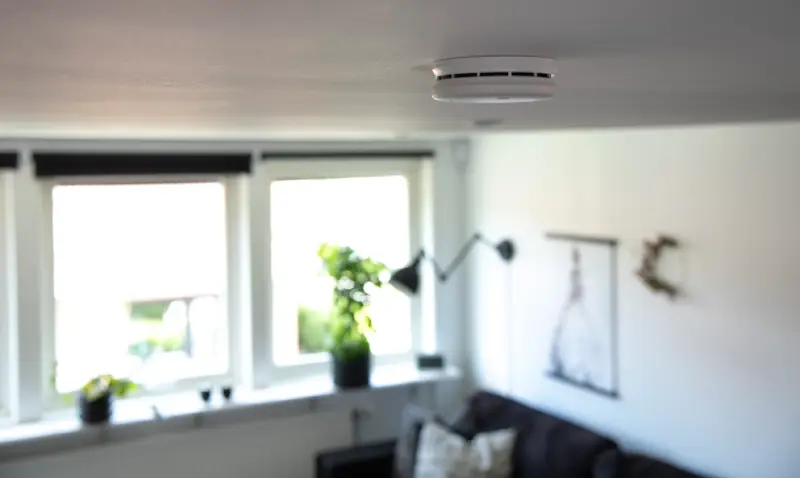
If your smoke alarm keeps beeping even when there's no smoke, it's almost always a maintenance issue, not a malfunction. Smoke detectors are designed to chirp periodically to warn you about low batteries, dust build-up, or age-related sensor wear.
Turn off mains power (if it's a hardwired unit).
Remove the cover and gently take out the old battery.
Insert a new, high-quality battery of the same type (check the label or manual).
Press and hold the Test button for a few seconds to reset the alarm.
The beeping should stop immediately once the new battery is recognised. You should replace smoke alarm batteries twice a year (a good habit is to do it when the clocks change in spring and autumn).
Is it safe to reset a smoke alarm that's beeping?
If your smoke alarm is beeping consistently (or every 30–60 seconds) but there is no smoke, you can safely reset it or change the batteries. However, you should never disable your smoke alarm permanently, as this can be life-threatening.
Preventing future alarm beeps: a maintenance checklist
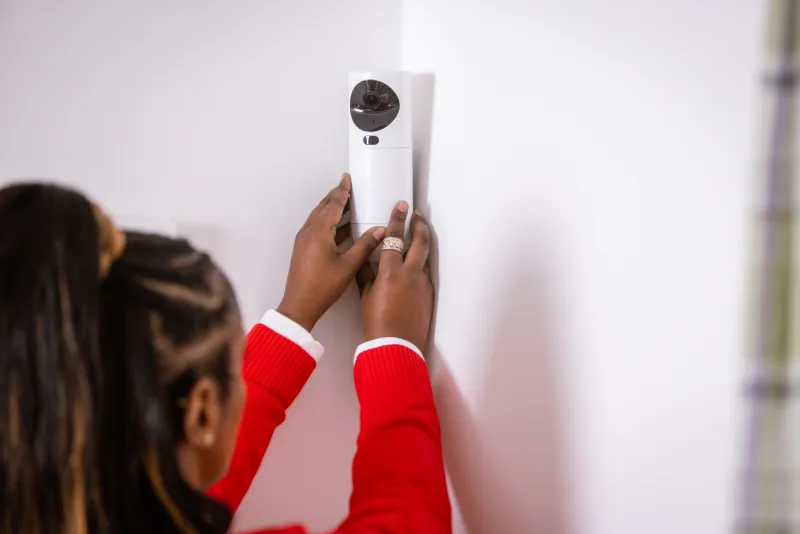
The most effective way to stop a security alarm beeping unexpectedly is to prevent it from happening in the first place. With a few simple alarm maintenance habits, you can keep your smoke and burglar alarm systems reliable, quiet, and ready to protect your home.
Regular care not only avoids nuisance beeps but also ensures that every component (from sensors to sirens) performs exactly as it should.
To keep things simple, here's an alarm maintenance checklist.
- If you have wireless systems, replace the batteries in core components like the control panel, sirens, and sensors at least once a year (or as soon as you hear the first warning chirp).
- Use high-quality branded batteries to avoid premature drainage.
- For hard-wired systems, like Verisure's, your engineer should test the internal backup battery during your annual service.
- Arrange an annual alarm service to test backup power, sensors, and connectivity.
- If using smart home security systems, like Verisure's, ensure your alarm systems are upgraded with the latest software.
- For monitored systems like Verisure Smart Alarms, remote diagnostics are often included in your plan – giving you peace of mind without lifting a finger.
- Regularly clean your sensors. This could be timed to coincide with your other household chores so it becomes a habit.
- Wipe around each sensor gently with a soft, dry cloth or a handheld vacuum cleaner. Avoid sprays, solvents, or excessive moisture.
- Check that nothing obstructs the field of view of your sensors (like curtains, plants, and even holiday decorations) as these can interfere with detection.
- Regularly check that every part of your alarm (sensors, sirens, and communication lines) is working correctly.
- Locate the "Test Mode" for your unique alarm system and run regular tests every few months (especially after battery changes or a power cut).
If you have a Verisure monitored alarm, the ARC (Alarm Receiving Centre) automatically receives system-health updates and alerts you if anything requires attention.
- Replace smoke detectors every 8–10 years for safety.
- Review your alarm system's performance every 5 years to ensure it still meets your security needs.
- Replace old, legacy alarm systems that are beeping regularly due to faults and maintenance issues.
How Verisure can help with beeping alarms
No alarm system is completely immune to false alerts, but Verisure's smart monitored alarms are designed to eliminate 99.9% of false alarms and random beeps. How? Through an effective combination of advanced technology and real human verification.
A human response to every beep and alert
Unlike traditional systems that simply sound off and rely on you to investigate, Verisure alarms are connected 24/7 to a dedicated ARC. When an alarm triggers, our team of trained security experts instantly verify the cause in real time using image and audio analysis, identifying whether it's a genuine emergency, a system fault, or a false trigger.
Maintenance done on your behalf
Regular maintenance and diagnostics are another key benefit of being with Verisure. The system continuously performs self-checks, automatically alerting the ARC if a sensor loses connection or a battery begins to weaken. This allows for quick, proactive fixes before any beeping starts.
FAQs
A low house alarm battery usually triggers a security alarm beeping pattern or a repeated fire alarm battery chirp, along with a warning light or error message on the control panel.
Most house alarm batteries last between 3 to 5 years, depending on usage, system type, and whether there's been any ongoing alarm maintenance. If your system is older or experiencing frequent beeps, it may be time for a replacement or monitored alarm support.
The battery is typically found inside the main control panel, often placed in a hallway, utility area, or near the front door. Backup batteries for sensors or sirens may also be located inside individual devices mounted around your home.
Yes, dust buildup can interfere with sensors and lead to false alarm causes, including intermittent beeping. Gently cleaning the device as part of routine alarm maintenance can help stop the burglar alarm from beeping or prevent fire alarms from chirping unnecessarily.
Most systems switch to a backup battery, so the alarm should not sound during a power cut unless the battery is already low and triggers the security alarm beeping.
Upgrade to a Verisure smart alarm system
For comprehensive home security solutions with easy installation and round-the-clock monitoring (without the incessant beeping), consider upgrading to a Verisure smart alarm system.
Browse our range of security products or get in touch with our team of experts to find out more about Verisure and request a free, no-obligation quote today.
Start a quote