
A Guide To Keyless Smart Locks In 2026
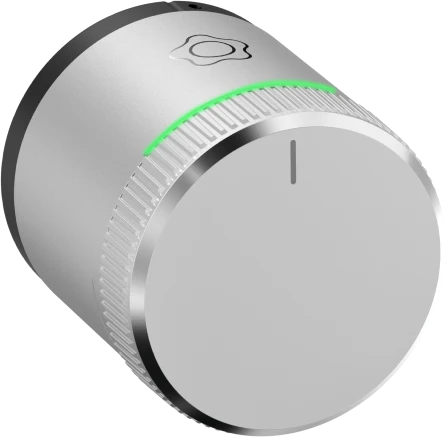
LockGuard Smart Lock: Now Available Nationwide
Smart Lock only available with Verisure's monitored home alarm system.
Keyless smart locks have become one of the most popular security upgrades for homes and businesses in 2026. Advancements in connectivity, authentication technology and smart home integration have made these devices more reliable and accessible than ever before. This guide explains what keyless smart locks are, how they work, their benefits and drawbacks, and how to choose the best option for your property.
What are smart locks?
Smart locks are electronic locking devices that replace or complement traditional mechanical locks. Instead of using a physical key, smart locks such as the Verisure LockGuard allow access through digital methods such as a mobile app, keypad code, biometric scan or a secure wireless signal.
Types of smart locks
- Bluetooth-based locks – unlock automatically when your smartphone is nearby.
- Wi‑Fi enabled locks – allow remote control, monitoring and alerts.
- Zigbee / Z‑Wave locks – connect via a smart home hub instead of Wi‑Fi.
- Biometric locks – use fingerprints, voice or facial recognition.
- Keypad locks – unlock using a numerical PIN.
- Hybrid locks – combine traditional keys with smart access features.
How do smart locks work?
Smart locks verify your identity through one or more authentication methods, allowing you to lock or unlock your door without a physical key. This could be by entering a PIN, using biometric data or sending an encrypted signal from your smartphone via Bluetooth or NFC.
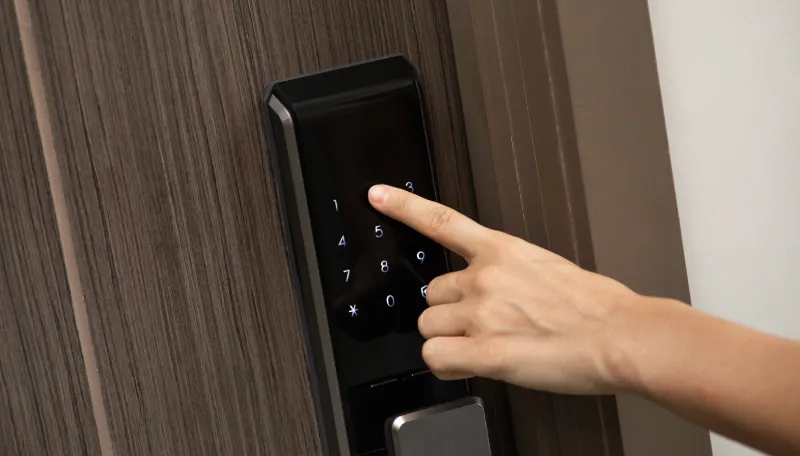
When integrated into a smart home, many smart locks can also be controlled using voice assistants. Communication is secured using encrypted protocols such as Bluetooth Low Energy, Wi‑Fi, Zigbee or Z‑Wave. These ensure that only authorised users and devices can operate the lock.
Most smart locks consist of the following components:
- Hardware module – the physical lock and motor that controls the deadbolt.
- Control board – processes inputs and manages lock behaviour.
- Connectivity module – enables Bluetooth, Wi‑Fi or smart home protocol communication.
- Power supply – typically AA batteries or a rechargeable pack.
- Backup access – physical key or emergency power option.
What are the benefits of smart locks?
- Keyless entry – unlock using your phone, PIN, fob or biometric data instead of keys.
- Remote access and control – lock or unlock your door, view activity logs and check status remotely using a mobile app.
- Real‑time alerts – receive notifications when your door is unlocked or accessed.
- Smart home integration – create routines that link your lock with alarms, lights or heating.
- Flexible access – easily share and revoke access without copying keys.
What are the drawbacks of smart locks?
- Higher cost – smart locks are more expensive than traditional locks and may involve subscriptions or installation fees.
- Outage limitations – some functionality may be reduced during power or internet outages.
- Technical setup – pairing devices, managing users and updating firmware may not suit everyone.
- Door compatibility – not all locks fit all doors, so measurements and deadbolt compatibility are essential.
How to choose a keyless smart lock
Assess your needs
Consider whether you need local or remote access, integration with a security system, multiple users, or the ability to change permissions frequently.
What is your budget?
Costs vary depending on connectivity, security features and installation. Factor in accessories, possible hubs and ongoing subscriptions.
Connectivity features
Bluetooth locks offer local access, while Wi‑Fi locks enable remote control and alerts. Check compatibility with your existing smart home ecosystem before purchasing.
Power and backup options
Look for long battery life, low‑battery alerts and at least one backup access method, such as a physical key.
Security features
- Auto‑lock scheduling
- Two‑factor authentication
- Strong encryption protocols
Installation type and compatibility
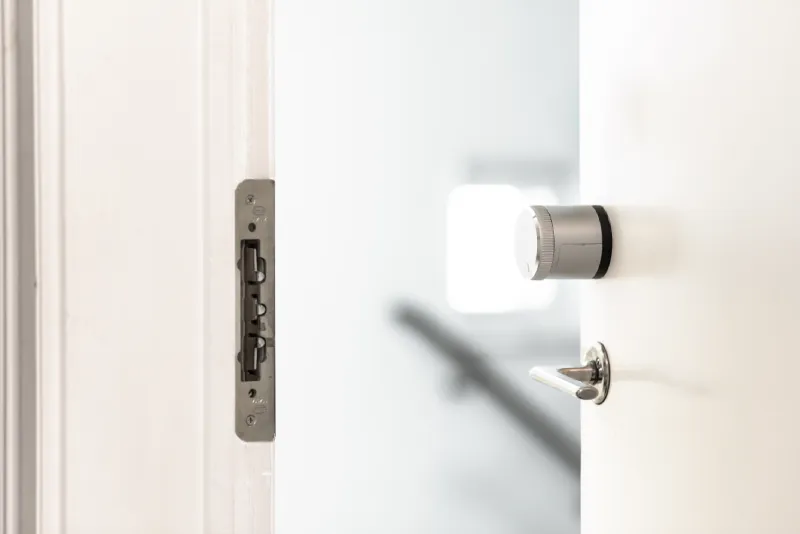
Some smart locks replace only the internal cylinder, while others replace the entire lock. Models such as Verisure’s LockGuard smart lock preserve exterior hardware while adding smart functionality.
How good is the companion app?
A good app should be intuitive, reliable and secure. Verisure’s app provides real‑time alerts, clear lock status and regular firmware updates.
Does it integrate with my security system?
LockGuard integrates with the wider Verisure security system, working alongside sensors and cameras. In an alarm event, the lock can provide door status information to the Alarm Receiving Centre, and emergency services can be assisted if required.
Should you get a smart lock?
Smart locks are particularly useful for:
- Homeowners or landlords who want to eliminate physical keys
- Families who want to monitor access remotely
- Rental property owners managing guest access
- Home technology enthusiasts
Who might not need a smart lock?
Smart locks may not be suitable if you are on a tight budget, prefer traditional keys, are uncomfortable with technology, or rent a property without landlord approval.
Smart lock installation tips and best practices
- Choose professional installation where required – Verisure devices are always professionally installed .
- Use strong PIN codes and change them regularly.
- Test backup access methods.
- Keep spare batteries available.
- Secure your Wi‑Fi network and keep firmware up to date.